Make Money Online ๐Ÿ’ธ
Make Money Online ๐Ÿ’ธ server banner

Make Money Online ๐Ÿ’ธ Updates & Events

Server Updates & Events

Announcements

Warning: Discord Impersonation Scam Alert

Most commonly dmed scam in this server. Be sure to watch him! This guy is a beast. https://www.youtube.com/watch?v=oUIvKRnu59A&ab_channel=NoTextToSpeech

No Text To Speech is a Scammer


I got caught. Sorry guys.......

Sorry for not informing you about the rampant impersonation that is happening on Discord! Yes, people are starting to impersonate me, No Text To Speech, trying to convince you to give up your hard earned shekels. Nigerian scammers are starting to go from emailing your parents to telling young people on Discord th...

Warning: Discord Impersonation Scam Alert

Temu Scam Tactics Exposed

https://www.youtube.com/watch?v=80rE40Pqbc4&ab_channel=NoTextToSpeech finally found some video about them

Temu: Turning People Into Scammers


Temu, the Chinese Amazon, has a couple of tricks up its sleeve.

From having a full blown casino like experience in the app to rock bottom prices, tons of people have flocked to Temu. However, Temu's swift uprising has brought out the worst in people. From spamming Discord servers with referral links to scamming people with fake ROBLOX tweets, p...

Temu Scam Tactics Exposed

Make Money Online 5K Face Reveal & Updates

We're at 5k already. Thanks for the support!

Here is my official face reveal, a little future info about the server, in depth info of how everything is managed in here, a few cool facts and the new opportunities that I will introduce in just a few days. Stay tuned!

Here is the link: https://youtu.be/BTayO2DJPI4

MMO

Make Money Online 5K Face Reveal & Updates

Alert: Crypto Giveaway Scam on Discord

Watch out, recent scam going on. Ignore and report any bot that sends you a message about winning crypto it's a scam!

Scammers pretend to be from legitimate companies such as Bittrex, reaching out to users on Discord. They claim to be holding a giveaway campaign, trying to persuade you to click on a link to get Bitcoins as a reward. Scammers use different excuses, but the tactics of Discord cryptocurrency scams are similar. Be careful when they ask you to:
Register on a scam website.
Enter promo codes.
Verify accounts.
Withdraw awards.

Stay safe

2 images in update

Beware Steam I Accidental Report Scam

Hey. Just to let some of you know about common scams which probably most people know how they work, but I heard that there was a guy in here recently so here we go. Basically a random guy says that they "accidentally reported your steam account" and more in depth about it you can see on this site: https://afkgaming.com/esports/guide/look-out-for-the-i-accidentally-reported-you-steam-scam in the end they basically try and convince you to give them full access to your account and so they can just steal it. I also linked an example screenshot from which you can already tell a scammer. That's why I recommend to disable dms from this server as mentioned above. The best way you can contact me is by making a ticket in #๐Ÿ“ฉใƒปsupport-ticket
Good luck earning@๐Ÿ’ธ Earner's!

Look Out For The โ€œI Accidentally Reported Youโ€ Steam Scam


How the "I accidentally reported you" Steam scam works and how to avoid it.

Beware Steam I Accidental Report Scam

Discord Updates: Subs, Threads, Insights & More!

Hey Admins and Mods!

Reach for the stars with new revenue tools for creators and communities on Discord.

Server Subscriptions available in the US!
Customize tiers, offer exclusive paid content, and meet future subscribers with Promo Pagesโ€”all while providing as much of a free experience to your community as you want. (https://dis.gd/CUServerSubs)
Server Subscriptions are only available in the US. Join our waitlist to be notified if they're available in your area. (https://dis.gd/ServerSubsWaitlist)

Private Threads are now available to all!
Your community no longer needs to have Server Boosting to Level 2 to use Private Threads.

Improvements to Server Insights!
Dates should be more accurate.
Conversations in Forum Channels will contribute to Engagement metrics, and now you can see joins via Student Hubs, Integrations, and Bots.
The requirement to be a Communicator has been increased from 1 to 3 messages sent per week. This only applies to the Engagement tab and doesnโ€™t impact Partner requirements.

Forum Channels now with Gallery View!
Gallery View gives posts in image-heavy Forum Channels like #fanart and #pet-pics room to shine - easily toggle between List View and Gallery View at any time.
With this update, Forum Channels are now officially available on all Community servers!

AutoMod keeps getting better!
Alongside more Custom Rules, weโ€™ve added Allowlists to your custom rules! Messages containing anything youโ€™ve added to your Allowlist will not be flagged by AutoMod.
Weโ€™ve also added the ability to filter messages using RegEX in your custom rules. (https://dis.gd/RegEXHC)

Enjoy your new tools, everyone!

Announcing Server Subscriptions and the Creator Portal, Now Open to...


Creators and community leaders can now learn and earn with Discord: Today, weโ€™re expanding the availability of Server Subscriptions, allowing existing creators to now earn directly on Discord. Learn how to use these new features with our Creator Portal, a one-stop-shop for education and inspiration.

Discord Updates: Subs, Threads, Insights & More!

Scammer Alert in Make Money Online Server!

WARNING! Mass scammers joined the server and here I post their similar message plus common names: they typically use some random name and surname and a profile picture with some persons face. If you notice me missing some report them to me and to discord. @๐Ÿ’ธ Earner

Tap to view image

If you received a message similar to this please send me a screenshot of it as some scam bots joined the server and sent it to everyone. Don't join the server and don't use anything in there as it is a scam! @๐Ÿ’ธ Earner

Urgent Security Alert: Partner Server Hacked!

Watch out guys. Our partner server (Earn Money Online) got recently hacked meaning the owner of that server isn't him and is some scammer, whoever is in here please don't invest into anything in there in order to not lose any money and don't interact with them to not lose yours account. The owner is trying to work it out. Please be safe.

2 images in update

Admin Update: Discord Community & Slash Commands

Hey Admins and Moderators,

We've got an update on all things Community today!

If you haven't joined our Discord Admin Communityโ€ฆ what are you waiting for? Head over to Server Setting > Community overview and join us โ€” we've got a slew of exciting and fun stuff planned that you wonโ€™t want to miss out on.

๐Ÿชด Below is a sneak peek at the Stage events weโ€™ve got cookinโ€™!

August 16th: Safety on Discord
August 25th: Utilizing Automod in your Community

To join our Discord Admin Community, your server will need to hit a few engagement requirements. Once your community reaches the requirements listed https://dis.gd/DAC-FAQ, any of your Admins or Moderators with the โ€œManage Serverโ€ permission will be able to join the Discord Admin Community via Server Settings > Community.

๐Ÿ“š Community Resources
We recently released our Community Resources, a one-stop shop for learning how to build, engage, grow, and manage a space where anyone can belong. New articles, showcases, and more will be added in the future, so be sure to bookmark it for later. https://dis.gd/Community_Resources

If you haven't already taken a peek at some of our content, you can check out the latest video! https://dis.gd/H2M_Your_Discord_Community

๐Ÿค– Apps & Bots
If your server uses a verified app, the way you send commands has probably changed in the last year - if it hasnโ€™t, it may very soon! Developers of verified apps have been migrating to Slash Commands. The deadline to finish migrating is the end of August, which means on Sept 1, any apps that havenโ€™t finished may have reduced functionality.

If you havenโ€™t tried out slash commands yet, type / in your server to see all the commands you have access to. If your favorite app isnโ€™t listed, they may not yet have enabled slash commands. Or, you might need to check out the new permissions system in Server Settings > Integrations.

If you run across any issues, you can reach out to individual app developers to find out more. Learn more here: https://discord.com/blog/welcome-to-the-new-era-of-discord-apps

How to Manage Your Discord Community


Running a Discord community? Mosey on over to https://dis.gd/community-resources for more educational & informative Discord content on illuminative subjects ...

Admin Update: Discord Community & Slash Commands

Discord AutoMod: Keep Your Server Clean Now

Hello Admins & Mods!

Itโ€™s official. 2022 is the year of communities. Thatโ€™s why weโ€™ve been investing in ways to make it easier to start, grow, and protect your communities on Discord.

Today, weโ€™re unveiling new tools and resources fresh from our labs so letโ€™s dive in.

Itโ€™s Easy To Keep Your Community And Conversations Clean With AutoMod

Meet AutoMod, your new best friend in moderation. Designed to reduce work and stress for moderators, AutoMod comes equipped with keyword filters to help keep your server clean and safe around the clock by automatically filtering out harmful or undesirable messages before theyโ€™re posted. Enjoy newfound peace of mind, even when youโ€™re offline.

Enable AutoMod in Server Settings > AutoMod. Once the wheels are turningโ€ฆ

:dot: Choose from readily available keyword filters or customize your own with lists of words or phrases and the actions AutoMod will take when theyโ€™re found in your server.
:dot: AutoModโ€™s keyword filters can automatically detect, block, and alert you of messages containing harmful words or phrasesโ€”before theyโ€™re ever posted.
:dot: Receive alerts from AutoMod when members try to use words from your lists and assign actions like Timeout from the alert itself.
:dot: Add Wildcards to your keywords to detect variations of words that partially match those on your lists.
bake* โ‡’ Today, we baked some coffee cake
*milk โ‡’ I add soymilk to my coffee
*press* โ‡’ A Gibraltar is equal parts espresso and milk
:dot: It just worksโ„ข๏ธ on any message sent (i.e., in #text-channels, Threads, Text chat in Voice channels). Check out our Help Center article for all your burning questions. https://dis.gd/cu-automod-hc

Your friendly AutoMod is raring to go on Windows, macOS, Linux, iOS, Android, and the web app. Donโ€™t delayโ€”employ your AutoMod today! https://dis.gd/cu-automod-blog

New Tools To Build Thriving Communities On Discord

At Discord, we believe anyone can build a thriving community. Weโ€™re excited to share new products and support to help you do soโ€”coming sooner than you think.

:dot: Explore a new preview of Premium Memberships, bringing customizability to communities and creators platform-wide! https://dis.gd/cu-community-update
:dot: Meet Community Resources, your one-stop shop for learning how to build your server into a community! Learn to build, engage, grow, and manage a space where anyone can belong. https://dis.gd/cu-community
:dot: Chat with your peers in our brand new Discord Admin Community, a space where admins, creators, and community managers can connect. https://dis.gd/cu-meet-admins

Incredible communities on Discord are built by incredible admins and moderators like you. We canโ€™t wait to do more together.

Meet Your Newest Community Moderator: AutoMod Is Here


Community moderation should be a hobby you celebrate, and we want to help you out. We'll be taking some of that moderation work off your hands and tackling it ourselves: Say hello to AutoMod!

Discord AutoMod: Keep Your Server Clean Now

Discord Text Chat in Voice Channels Arrives!

Text Chat in Voice Channels will be enabled automatically for all servers on Wednesday, June 29th and weโ€™ve made it easier for you to moderate the surface with Discordโ€™s AutoMod! Hereโ€™s how to make the best of this brand-new feature.

:dot: Customize your serverโ€™s Channel and Role permissions and opt-in to Text Chat in Voice Channels ahead of time.
:dot: Many of your favorite moderation bots support monitoring Text Chat in Voice Channels and Discordโ€™s new AutoMod can automatically detect and flag undesirable messages and rule-breakers before they are posted; helping you keep conversations clean and giving you time to focus on the fun parts of managing your community: (AutoMod Help Center article here: https://support.discord.com/hc/en-us/articles/4421269296535-AutoMod-FAQ).
:dot: Debut your new Text Chat In Voice Channels in your next D&D session or movie night.
:dot: Sit back and enjoy a less chaotic #channel with zero context, now that members can send messages within voice channels.

For more details on Text Chat in Voice Channels read our Help Center article here: https://support.discord.com/hc/en-us/articles/4412085582359

We canโ€™t wait to see how you make the most of Text Chat In Voice Channels.

Text Channels & Text Chat In Voice Channels

In Discord, there are three ways to communicate with your friends: voice, video, and text. For this article, you'll learn more about where to engage with others through text.
What this article cove...

Discord Text Chat in Voice Channels Rolling Out

Hey Admins & Mods,

Beginning Wednesday, 6/1 weโ€™re rolling out Text Chat in Voice Channels to Discord. With embedded chat in voice channels, your community can send messages, GIFs, links, memes, etc. to everyone in the voice channelโ€”no more clogging #channel.

We are rolling out Text Chat in Voice Channels slowly to all servers throughout the week. Initially, it will not be enabled by default for servers that have greater than 200 members or are set as a Community Server.

But once you have accessโ€ฆ
:dot: Youโ€™ll have a new Server Settings tab on the web or your client called Text in Voice.
:dot: Turn Text Chat in Voice Channels on for your community by selecting Enable.
:dot: Customize permissions for your community, like enabling in specific voice channels or disabling for certain roles. Most developers of your favorite moderation bots have already updated their instances to monitor Text Chat in Voice Channels!

For more details on Text Chat in Voice Channels, read our Help Center article here: https://support.discord.com/hc/en-us/articles/4412085582359

In four weeks, Text Chat in Voice Channels will be automatically enabled for all servers while still respecting your prescribed permissionsโ€”but we recommend you enable it early for all your server members to enjoy!

Text Channels & Text Chat In Voice Channels

In Discord, there are three ways to communicate with your friends: voice, video, and text. For this article, you'll learn more about where to engage with others through text.
What this article cove...

Tap to view image

Hiring: World of Tanks Referral Program Worker

I'm looking for a worker. The job is: https://worldoftanks.eu/en/content/docs/referral-program-regulations/ read through it to get to know it. You will have to earn the points and for completing the whole program I will pay you or you can get paid smaller amounts for less points more often. We can discuss the form and amount of the payment preferably in #๐Ÿ“ฉใƒปsupport-ticket , I can do giftcards and paypal, game currency like robux, vbucks etc.

Referral Program 2.0: Regulations | docs


Everything you need to know about our new Referral Program and how you can get a free tank!

Hiring: World of Tanks Referral Program Worker

Whoever got an dm like this please ignore it's a scam.

Discord Slash Command Permissions Update Now Live

Hello Admin & Mods!

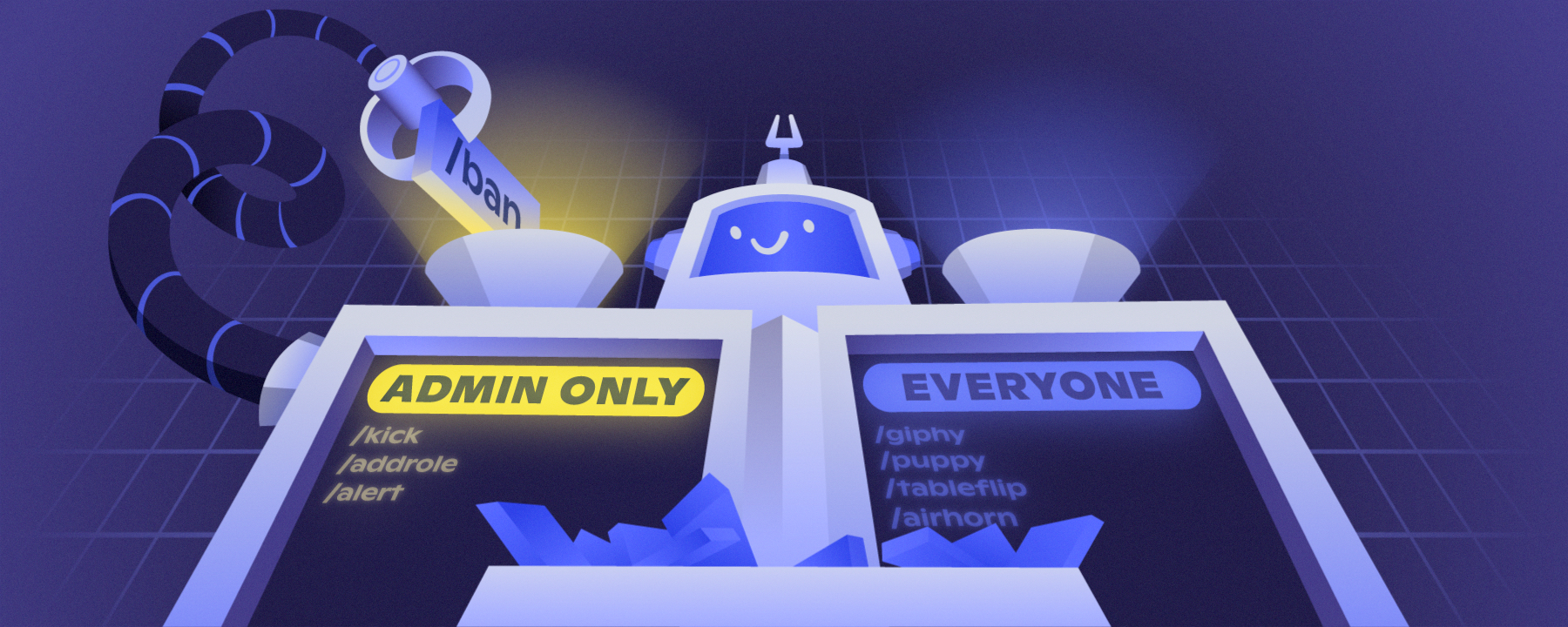
Today, we have a new update for slash commands in your servers: Permissions! If you donโ€™t know, slash commands are a new, easier way to use bots on Discord. You might already have some to useโ€”type / to find out!

With this new system, you can:
Control who can use slash commands in your servers
Control in which channels commands can be used
Sync or unsync commands like channels and categories, making mass management and special cases easy to handle

You can find these permissions in Server Settings โ†’ Integrations โ†’ Pick an app! If the app supports slash commands, youโ€™ll see the UI.

โš ๏ธ If a bot you use has integrated slash commands, the old way of denying the bot Read Messages will not work to moderate commands usage. Youโ€™ll need to use this new system to control access.

Not sure if your bots support slash commands? Check out in Server Settings โ†’ Integrations, or just type /!

Check out our blog post to learn more and see a detailed walkthrough: https://discord.com/blog/slash-commands-permissions-discord-apps-bots

Permission to Slash, Granted: Introducing Role Permissions for Slas...


Thereโ€™s a brand-new page in Server Settings: Command Permissions! Server admins and moderators can head into the Integrations page to customize which slash commands can be used, in what channels, and by which roles. Read on for more!

Discord Slash Command Permissions Update Now Live