party_dog (Animated)
What does the party_dog emoji mean?
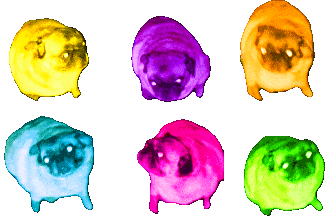
A chaotic, neon-colored quartet of pugs ready to bring the party to your chat.
This emoji features the iconic 'spinning pug' meme, famously known as the 'Gopnik Pug' or 'Spinning Pug' in various internet circles. By applying a high-contrast, deep-fried color filter to four variations of the pug, it creates a chaotic and energetic vibe perfect for Discord servers that thrive on meme culture and high-intensity reactions.
When to use it
- Expressing overwhelming excitement during a chaotic moment
- Reacting to a bizarre or nonsensical chat message
- Adding visual chaos to a celebratory server event
- Highlighting a funny or absurd conversation thread
Also known as:
:Partydog: :m_party_pug: :neonpartypug: :party_pug_dance:
Part of these collections
Related emoji searches
More inspired emojis
Embed & share
How to add this emoji
Add to Discord
- Click Add to my server above and pick a Discord server you manage (CommunityOne must be installed).
- Or download the file: open Discord → Server Settings → Emoji → Upload Emoji.
- Give it a name and save. You need Manage Server (or Create Expressions) permission.
Add to Slack
- Download the party_dog image.
- Open the Slack emoji picker and click Add Emoji.
- Upload the file, name it, and save.
Add to Revolt/Stoat
- Download the party_dog image.
- Open Server Settings → Emojis in Revolt or Stoat.
- Upload the file and name your new emoji.
Add to Guilded
- Download the party_dog image.
- Go to Server Settings → Emotes in Guilded.
- Upload the file and give it a name.











