ab_notlf
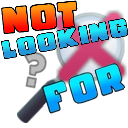
What does the ab_notlf emoji mean?
A bold, gaming-inspired sticker that shuts down unwanted inquiries with style.
This emoji features a stylized, blocky font reminiscent of classic gaming interfaces, specifically referencing the Geometry Dash aesthetic. It is commonly used in Discord servers to dismiss unsolicited DMs, unwanted suggestions, or irrelevant questions in a blunt yet humorous way. The inclusion of a magnifying glass with an 'X' emphasizes the 'not looking' aspect, making it a perfect tool for setting boundaries in chat.
When to use it
- Dismissing unwanted private messages from strangers
- Rejecting unsolicited advice during group discussions
- Ignoring irrelevant questions in a busy channel
- Signaling disinterest in a specific topic
Also known as:
:39430notlookingforbloxfruits: :emoji_4:
Part of these collections
Related emoji searches
More inspired emojis
Embed & share
How to add this emoji
Add to Discord
- Click Add to my server above and pick a Discord server you manage (CommunityOne must be installed).
- Or download the file: open Discord → Server Settings → Emoji → Upload Emoji.
- Give it a name and save. You need Manage Server (or Create Expressions) permission.
Add to Slack
- Download the ab_notlf image.
- Open the Slack emoji picker and click Add Emoji.
- Upload the file, name it, and save.
Add to Revolt/Stoat
- Download the ab_notlf image.
- Open Server Settings → Emojis in Revolt or Stoat.
- Upload the file and name your new emoji.
Add to Guilded
- Download the ab_notlf image.
- Go to Server Settings → Emotes in Guilded.
- Upload the file and give it a name.











