Asia
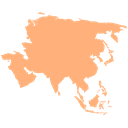
What does the Asia emoji mean?
Represent your global presence with this simple, clean map of Asia.
This emoji features a stylized, flat-colored map of the Asian continent. It is commonly used in Discord servers to denote location, heritage, or to signal participation in international communities and gaming regions.
When to use it
- Identifying your home continent in chat
- Discussing geography or travel in Asia
- Marking servers based in Asian regions
- Representing cultural heritage in group chats
Part of these collections
Related emoji searches
More inspired emojis
Embed & share
How to add this emoji
Add to Discord
- Click Add to my server above and pick a Discord server you manage (CommunityOne must be installed).
- Or download the file: open Discord → Server Settings → Emoji → Upload Emoji.
- Give it a name and save. You need Manage Server (or Create Expressions) permission.
Add to Slack
- Download the Asia image.
- Open the Slack emoji picker and click Add Emoji.
- Upload the file, name it, and save.
Add to Revolt/Stoat
- Download the Asia image.
- Open Server Settings → Emojis in Revolt or Stoat.
- Upload the file and name your new emoji.
Add to Guilded
- Download the Asia image.
- Go to Server Settings → Emotes in Guilded.
- Upload the file and give it a name.











