prohibido
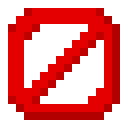
What does the prohibido emoji mean?
A blunt, pixelated way to shut down any conversation instantly.
This pixel-art 'prohibited' sign is a staple for Discord servers that need a quick, visual way to signal that a topic is off-limits or a behavior is not allowed. Its retro aesthetic makes it feel like a classic gaming UI element, perfect for mods or users setting boundaries in a playful yet firm manner.
When to use it
- Shutting down inappropriate chat room conversations
- Denying a request from another server member
- Marking a specific topic as strictly forbidden
- Stopping someone from continuing a bad joke
Also known as:
:9752barrierblockmc: :MinecraftNo: :BarrierX:
Part of these collections
Related emoji searches
More inspired emojis
Embed & share
How to add this emoji
Add to Discord
- Click Add to my server above and pick a Discord server you manage (CommunityOne must be installed).
- Or download the file: open Discord → Server Settings → Emoji → Upload Emoji.
- Give it a name and save. You need Manage Server (or Create Expressions) permission.
Add to Slack
- Download the prohibido image.
- Open the Slack emoji picker and click Add Emoji.
- Upload the file, name it, and save.
Add to Revolt/Stoat
- Download the prohibido image.
- Open Server Settings → Emojis in Revolt or Stoat.
- Upload the file and name your new emoji.
Add to Guilded
- Download the prohibido image.
- Go to Server Settings → Emotes in Guilded.
- Upload the file and give it a name.











