flushedahh
What does the flushedahh emoji mean?
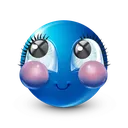
A bashful blue sphere blushing with wide, starry-eyed wonder.
This emoji features a stylized blue sphere with oversized, expressive eyes and prominent pink cheeks, capturing a look of extreme shyness or being caught off guard. It is a popular choice in Discord servers for reacting to compliments, awkward moments, or situations that make the user feel bashful and flustered. Its cute, glossy aesthetic fits perfectly into casual, lighthearted conversations.
When to use it
- Reacting to a sweet or unexpected compliment
- Expressing shyness during an awkward chat moment
- Showing bashfulness after being teased by friends
- Responding to cute or wholesome server messages
Also known as:
:32906innocent: :66b3e9ea16121c4a0759ffbb_53:
Variations
Part of these collections
Related emoji searches
More inspired emojis
Embed & share
How to add this emoji
Add to Discord
- Click Add to my server above and pick a Discord server you manage (CommunityOne must be installed).
- Or download the file: open Discord → Server Settings → Emoji → Upload Emoji.
- Give it a name and save. You need Manage Server (or Create Expressions) permission.
Add to Slack
- Download the flushedahh image.
- Open the Slack emoji picker and click Add Emoji.
- Upload the file, name it, and save.
Add to Revolt/Stoat
- Download the flushedahh image.
- Open Server Settings → Emojis in Revolt or Stoat.
- Upload the file and name your new emoji.
Add to Guilded
- Download the flushedahh image.
- Go to Server Settings → Emotes in Guilded.
- Upload the file and give it a name.











