Bruh
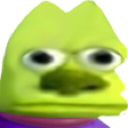
What does the Bruh emoji mean?
Mike Wazowski stares directly into your soul with unblinking intensity.
This emoji features a distorted, deep-fried edit of Mike Wazowski from Monsters, Inc., characterized by his wide, unblinking eyes and intense, vacant stare. It is a staple in meme culture for expressing extreme confusion, judgment, or awkward silence during Discord conversations. Users frequently deploy this to react to questionable takes or to create an uncomfortable atmosphere in chat.
When to use it
- Reacting to a weird or confusing statement
- Staring down someone who said something dumb
- Expressing awkward silence after a bad joke
- Highlighting a moment of pure mental vacancy
Part of these collections
Related emoji searches
More inspired emojis
Embed & share
How to add this emoji
Add to Discord
- Click Add to my server above and pick a Discord server you manage (CommunityOne must be installed).
- Or download the file: open Discord → Server Settings → Emoji → Upload Emoji.
- Give it a name and save. You need Manage Server (or Create Expressions) permission.
Add to Slack
- Download the Bruh image.
- Open the Slack emoji picker and click Add Emoji.
- Upload the file, name it, and save.
Add to Revolt/Stoat
- Download the Bruh image.
- Open Server Settings → Emojis in Revolt or Stoat.
- Upload the file and name your new emoji.
Add to Guilded
- Download the Bruh image.
- Go to Server Settings → Emotes in Guilded.
- Upload the file and give it a name.











