catdespair
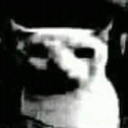
What does the catdespair emoji mean?
A deeply existential cat staring into the void of your soul.
This emoji features a low-resolution, high-contrast image of a cat that has become a staple in internet culture for expressing profound despair, confusion, or the feeling of being completely overwhelmed. It is frequently used in Discord servers to react to bad news, chaotic situations, or simply to convey a sense of 'I have no idea what is happening.' The grainy, dark aesthetic adds to its comedic, cursed-image appeal.
When to use it
- Expressing deep confusion during a chaotic chat
- Reacting to bad news with existential dread
- Showing total defeat after a long day
- Highlighting a moment of pure social awkwardness
Also known as:
:bruhcat: :darkcat1:
Part of these collections
Related emoji searches
More inspired emojis
Embed & share
How to add this emoji
Add to Discord
- Click Add to my server above and pick a Discord server you manage (CommunityOne must be installed).
- Or download the file: open Discord → Server Settings → Emoji → Upload Emoji.
- Give it a name and save. You need Manage Server (or Create Expressions) permission.
Add to Slack
- Download the catdespair image.
- Open the Slack emoji picker and click Add Emoji.
- Upload the file, name it, and save.
Add to Revolt/Stoat
- Download the catdespair image.
- Open Server Settings → Emojis in Revolt or Stoat.
- Upload the file and name your new emoji.
Add to Guilded
- Download the catdespair image.
- Go to Server Settings → Emotes in Guilded.
- Upload the file and give it a name.











