shrug
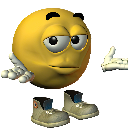
What does the shrug emoji mean?
The ultimate expression of pure, unbothered indifference.
This iconic 3D smiley, often referred to as the 'shrug emoji,' captures the quintessential internet attitude of not knowing or not caring. It is a staple in Discord servers for dismissing awkward questions, reacting to confusing situations, or simply signaling a total lack of concern.
When to use it
- Responding to questions you cannot answer
- Dismissing awkward situations with total indifference
- Expressing confusion about a weird statement
- Showing lack of concern for drama
Also known as:
:szops: :YeahOK: :shruggy: :aaaaaaaa: :Confused: :dontknow: :elishrug: :joeshrug:
Part of these collections
Related emoji searches
More inspired emojis
Embed & share
How to add this emoji
Add to Discord
- Click Add to my server above and pick a Discord server you manage (CommunityOne must be installed).
- Or download the file: open Discord → Server Settings → Emoji → Upload Emoji.
- Give it a name and save. You need Manage Server (or Create Expressions) permission.
Add to Slack
- Download the shrug image.
- Open the Slack emoji picker and click Add Emoji.
- Upload the file, name it, and save.
Add to Revolt/Stoat
- Download the shrug image.
- Open Server Settings → Emojis in Revolt or Stoat.
- Upload the file and name your new emoji.
Add to Guilded
- Download the shrug image.
- Go to Server Settings → Emotes in Guilded.
- Upload the file and give it a name.











