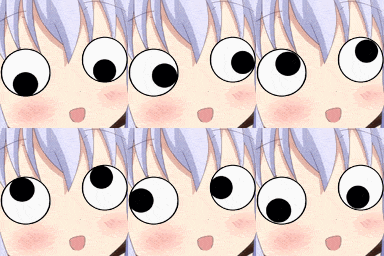
animeeyes (Animated)
Skip the manual upload: CommunityOne can add it straight to your server.
What does the animeeyes emoji mean?
When you're trying to act innocent but your eyes are doing their own thing.
This emoji features a classic anime character face with comically oversized, googly eyes that shift in different directions. It is a staple in Discord servers for expressing chaotic energy, feigned ignorance, or just general silliness during a conversation.
When to use it
- Reacting to something incredibly weird or confusing
- Acting innocent after saying something slightly chaotic
- Expressing a sense of overwhelming visual stimulation
- Highlighting a moment of pure, unadulterated silliness
Also known as:
:65520eyes:
Part of these collections
Related emoji searches
More inspired emojis
Embed & share
How to add this emoji
Add to Discord
- Click Add to my server above and pick a Discord server you manage (CommunityOne must be installed).
- Or download the file: open Discord → Server Settings → Emoji → Upload Emoji.
- Give it a name and save. You need Manage Server (or Create Expressions) permission.
Add to Slack
- Download the animeeyes image.
- Open the Slack emoji picker and click Add Emoji.
- Upload the file, name it, and save.
Add to Revolt/Stoat
- Download the animeeyes image.
- Open Server Settings → Emojis in Revolt or Stoat.
- Upload the file and name your new emoji.
Add to Guilded
- Download the animeeyes image.
- Go to Server Settings → Emotes in Guilded.
- Upload the file and give it a name.











