wtfcat
Skip the manual upload: CommunityOne can add it straight to your server.
What does the wtfcat emoji mean?
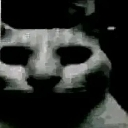
The ultimate stare-down for when things get weirdly intense.
This emoji features a deep-fried, high-contrast edit of a cat staring directly into the soul of the viewer. Often associated with 'uncanny' meme culture, it is the perfect reaction for moments of awkward silence, suspicious behavior, or when someone says something profoundly cursed in chat.
When to use it
- Reacting to someone saying something extremely cursed
- Staring down a user during an awkward conversation
- Expressing deep suspicion about a suspicious claim
- Highlighting the absurdity of a weird statement
Also known as:
:EvilCat: :catshock: :CatDespair: :OHGODTHEYRECOIMINGINTHEHOSUEOHGO: :a7a_wtf: :bnx9_a7acat: :darkhogya_b2f: :bnx9__a7acat:
Part of these collections
Related emoji searches
More inspired emojis
Embed & share
How to add this emoji
Add to Discord
- Click Add to my server above and pick a Discord server you manage (CommunityOne must be installed).
- Or download the file: open Discord → Server Settings → Emoji → Upload Emoji.
- Give it a name and save. You need Manage Server (or Create Expressions) permission.
Add to Slack
- Download the wtfcat image.
- Open the Slack emoji picker and click Add Emoji.
- Upload the file, name it, and save.
Add to Revolt/Stoat
- Download the wtfcat image.
- Open Server Settings → Emojis in Revolt or Stoat.
- Upload the file and name your new emoji.
Add to Guilded
- Download the wtfcat image.
- Go to Server Settings → Emotes in Guilded.
- Upload the file and give it a name.











