DuckWaddle (Animated)
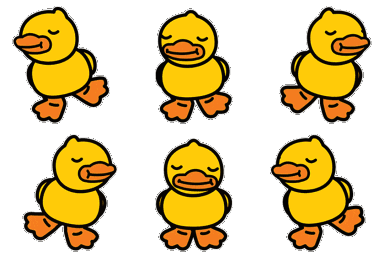
What does the DuckWaddle emoji mean?
A cute little duck waddling along with total confidence.
The DuckWaddle emoji captures the pure, unbothered energy of a duck on a mission. Frequently used in Discord servers to signify someone casually entering a chat, moving on from a conversation, or just vibing, this animation brings a playful and wholesome touch to any text channel.
When to use it
- Signaling your arrival into a busy chat
- Walking away from a very awkward conversation
- Showing off your cute and casual mood
- Representing a slow but steady progress forward
Also known as:
:waddlingduck:
Part of these collections
Related emoji searches
More inspired emojis
Embed & share
How to add this emoji
Add to Discord
- Click Add to my server above and pick a Discord server you manage (CommunityOne must be installed).
- Or download the file: open Discord → Server Settings → Emoji → Upload Emoji.
- Give it a name and save. You need Manage Server (or Create Expressions) permission.
Add to Slack
- Download the DuckWaddle image.
- Open the Slack emoji picker and click Add Emoji.
- Upload the file, name it, and save.
Add to Revolt/Stoat
- Download the DuckWaddle image.
- Open Server Settings → Emojis in Revolt or Stoat.
- Upload the file and name your new emoji.
Add to Guilded
- Download the DuckWaddle image.
- Go to Server Settings → Emotes in Guilded.
- Upload the file and give it a name.











