drebby
What does the drebby emoji mean?
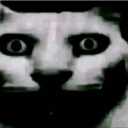
A deeply cursed, wide-eyed cat staring directly into your soul.
This emoji features a distorted, low-resolution cat face with unnervingly wide eyes, commonly known as the 'cursed cat' or 'staring cat' meme. It is frequently used in Discord servers to express intense discomfort, shock, or to mock someone for saying something particularly bizarre or unsettling.
When to use it
- Expressing shock at a cursed message
- Staring down a friend after weird comments
- Reacting to something deeply unsettling online
- Mocking someone with a blank, intense stare
Also known as:
:35dc513c89834265a385ed784c01f4c2: :d7a74d7dcd56b81beae5a853a6a4c510: :emoji_3: :emoji_11:
Part of these collections
Related emoji searches
More inspired emojis
Embed & share
How to add this emoji
Add to Discord
- Click Add to my server above and pick a Discord server you manage (CommunityOne must be installed).
- Or download the file: open Discord → Server Settings → Emoji → Upload Emoji.
- Give it a name and save. You need Manage Server (or Create Expressions) permission.
Add to Slack
- Download the drebby image.
- Open the Slack emoji picker and click Add Emoji.
- Upload the file, name it, and save.
Add to Revolt/Stoat
- Download the drebby image.
- Open Server Settings → Emojis in Revolt or Stoat.
- Upload the file and name your new emoji.
Add to Guilded
- Download the drebby image.
- Go to Server Settings → Emotes in Guilded.
- Upload the file and give it a name.











