haha (Animated)
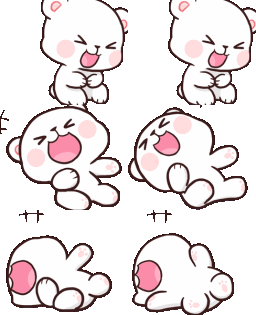
What does the haha emoji mean?
A cute white bear rolling around in fits of uncontrollable laughter.
This emoji features a popular 'Milk and Mocha' style bear character experiencing a moment of pure, unbridled amusement. It is widely used in Discord and Slack communities to react to hilarious jokes, memes, or absurd situations where words simply aren't enough to convey the laughter.
When to use it
- -reacting to a hilarious joke in chat
- -showing extreme amusement at a funny meme
- -laughing uncontrollably at a friend's silly mistake
- -expressing pure joy during a group conversation
Part of these collections
Related emoji searches
More inspired emojis
Embed & share
How to add this emoji
Add to Discord
- Click Add to my server above and pick a Discord server you manage (CommunityOne must be installed).
- Or download the file: open Discord → Server Settings → Emoji → Upload Emoji.
- Give it a name and save. You need Manage Server (or Create Expressions) permission.
Add to Slack
- Download the haha image.
- Open the Slack emoji picker and click Add Emoji.
- Upload the file, name it, and save.
Add to Revolt/Stoat
- Download the haha image.
- Open Server Settings → Emojis in Revolt or Stoat.
- Upload the file and name your new emoji.
Add to Guilded
- Download the haha image.
- Go to Server Settings → Emotes in Guilded.
- Upload the file and give it a name.











