InvisibilityMushroom
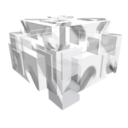
What does the InvisibilityMushroom emoji mean?
Now you see me, now you don't—the ultimate stealthy mushroom.
This pixelated mushroom emoji captures the essence of disappearing acts and stealthy maneuvers. It is a popular choice for Discord users who want to signal they are going AFK, lurking in a channel, or simply trying to avoid a conversation.
When to use it
- Signaling that you are going AFK now
- Joking about lurking in a voice channel
- Avoiding a direct question in the chat
- Expressing a desire to disappear from view
Part of these collections
Related emoji searches
More inspired emojis
Embed & share
How to add this emoji
Add to Discord
- Click Add to my server above and pick a Discord server you manage (CommunityOne must be installed).
- Or download the file: open Discord → Server Settings → Emoji → Upload Emoji.
- Give it a name and save. You need Manage Server (or Create Expressions) permission.
Add to Slack
- Download the InvisibilityMushroom image.
- Open the Slack emoji picker and click Add Emoji.
- Upload the file, name it, and save.
Add to Revolt/Stoat
- Download the InvisibilityMushroom image.
- Open Server Settings → Emojis in Revolt or Stoat.
- Upload the file and name your new emoji.
Add to Guilded
- Download the InvisibilityMushroom image.
- Go to Server Settings → Emotes in Guilded.
- Upload the file and give it a name.











