founder
What does the founder emoji mean?
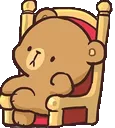
The ultimate boss bear sitting in his throne, ready to make some executive decisions.
This emoji features a cute, brown bear character sitting comfortably in a regal chair, often used to represent someone in charge or acting like a 'founder' of a server or project. It is a popular choice in Discord communities for reacting to announcements, leadership decisions, or just showing off a sense of authority with a dash of kawaii charm. The character is reminiscent of popular sticker sets, making it a staple for expressing a mix of seriousness and playfulness.
When to use it
- Signifying a leadership decision in the chat
- Reacting to a server owner making announcements
- Showing off authority in a playful way
- Establishing dominance during a friendly debate
Part of these collections
Related emoji searches
More inspired emojis
Embed & share
How to add this emoji
Add to Discord
- Click Add to my server above and pick a Discord server you manage (CommunityOne must be installed).
- Or download the file: open Discord → Server Settings → Emoji → Upload Emoji.
- Give it a name and save. You need Manage Server (or Create Expressions) permission.
Add to Slack
- Download the founder image.
- Open the Slack emoji picker and click Add Emoji.
- Upload the file, name it, and save.
Add to Revolt/Stoat
- Download the founder image.
- Open Server Settings → Emojis in Revolt or Stoat.
- Upload the file and name your new emoji.
Add to Guilded
- Download the founder image.
- Go to Server Settings → Emotes in Guilded.
- Upload the file and give it a name.











