king
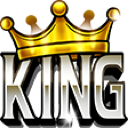
What does the king emoji mean?
Claim your throne and assert dominance in the chat with this bold crown emoji.
This emoji features the word 'KING' in bold, metallic lettering topped with a golden crown, perfect for highlighting someone's achievements or status. It is a staple in gaming communities and competitive Discord servers to celebrate a victory or acknowledge a leader's authority. Use it to hype up a friend who just made a great play or to playfully declare yourself the ruler of the conversation.
When to use it
- Celebrating a friend who just won big
- Declaring yourself the winner of an argument
- Acknowledging a leader in a gaming guild
- Showing off your top tier status online
Part of these collections
Related emoji searches
More inspired emojis
Embed & share
How to add this emoji
Add to Discord
- Click Add to my server above and pick a Discord server you manage (CommunityOne must be installed).
- Or download the file: open Discord → Server Settings → Emoji → Upload Emoji.
- Give it a name and save. You need Manage Server (or Create Expressions) permission.
Add to Slack
- Download the king image.
- Open the Slack emoji picker and click Add Emoji.
- Upload the file, name it, and save.
Add to Revolt/Stoat
- Download the king image.
- Open Server Settings → Emojis in Revolt or Stoat.
- Upload the file and name your new emoji.
Add to Guilded
- Download the king image.
- Go to Server Settings → Emotes in Guilded.
- Upload the file and give it a name.











