makemeshutup
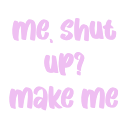
What does the makemeshutup emoji mean?
A sassy, defiant comeback for when someone tells you to be quiet.
This text-based emoji captures a classic internet comeback, perfect for shutting down unwanted advice or playful banter in Discord chats. Its bold, pink pixel-art style gives it a retro, Y2K-inspired aesthetic that fits perfectly into aesthetic or chaotic server channels. Use it to assert dominance in a lighthearted, cheeky way when someone tries to tell you what to do.
When to use it
- Responding to someone telling you to hush
- Deflecting unwanted advice during a heated debate
- Showing off your sassy and rebellious personality
- Adding a punchy comeback to text conversations
Part of these collections
Related emoji searches
More inspired emojis
Embed & share
How to add this emoji
Add to Discord
- Click Add to my server above and pick a Discord server you manage (CommunityOne must be installed).
- Or download the file: open Discord → Server Settings → Emoji → Upload Emoji.
- Give it a name and save. You need Manage Server (or Create Expressions) permission.
Add to Slack
- Download the makemeshutup image.
- Open the Slack emoji picker and click Add Emoji.
- Upload the file, name it, and save.
Add to Revolt/Stoat
- Download the makemeshutup image.
- Open Server Settings → Emojis in Revolt or Stoat.
- Upload the file and name your new emoji.
Add to Guilded
- Download the makemeshutup image.
- Go to Server Settings → Emotes in Guilded.
- Upload the file and give it a name.











