MArmor
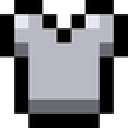
What does the MArmor emoji mean?
Gear up for battle with this iconic piece of pixelated protection.
This emoji features the classic iron chestplate design from Minecraft, representing the fundamental armor tier in the game. It is frequently used in gaming servers to signify defense, preparation for a raid, or simply to flex one's inventory status during a chat.
When to use it
- Signaling readiness for a difficult boss fight
- Flexing your new gear in a gaming channel
- Asking for protection during a group mission
- Representing Minecraft fandom in your server chat
Part of these collections
Related emoji searches
More inspired emojis
Embed & share
How to add this emoji
Add to Discord
- Click Add to my server above and pick a Discord server you manage (CommunityOne must be installed).
- Or download the file: open Discord → Server Settings → Emoji → Upload Emoji.
- Give it a name and save. You need Manage Server (or Create Expressions) permission.
Add to Slack
- Download the MArmor image.
- Open the Slack emoji picker and click Add Emoji.
- Upload the file, name it, and save.
Add to Revolt/Stoat
- Download the MArmor image.
- Open Server Settings → Emojis in Revolt or Stoat.
- Upload the file and name your new emoji.
Add to Guilded
- Download the MArmor image.
- Go to Server Settings → Emotes in Guilded.
- Upload the file and give it a name.











