NEON_ART (Animated)
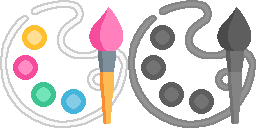
What does the NEON_ART emoji mean?
Unleash your inner artist with this vibrant, pixel-perfect palette.
This emoji features a side-by-side comparison of a colorful artist's palette and a grayscale version, symbolizing the transition from a blank canvas to a masterpiece. It is perfect for Discord servers dedicated to digital art, creative communities, or showing off a new project. Use it to signal that you are starting a new piece or to contrast a finished work with a rough sketch.
When to use it
- Sharing your latest digital art creation
- Announcing a new creative project launch
- Comparing draft sketches with finished work
- Encouraging others to start drawing today
Part of these collections
Related emoji searches
More inspired emojis
Embed & share
How to add this emoji
Add to Discord
- Click Add to my server above and pick a Discord server you manage (CommunityOne must be installed).
- Or download the file: open Discord → Server Settings → Emoji → Upload Emoji.
- Give it a name and save. You need Manage Server (or Create Expressions) permission.
Add to Slack
- Download the NEON_ART image.
- Open the Slack emoji picker and click Add Emoji.
- Upload the file, name it, and save.
Add to Revolt/Stoat
- Download the NEON_ART image.
- Open Server Settings → Emojis in Revolt or Stoat.
- Upload the file and name your new emoji.
Add to Guilded
- Download the NEON_ART image.
- Go to Server Settings → Emotes in Guilded.
- Upload the file and give it a name.











