yypc_ok
What does the yypc_ok emoji mean?
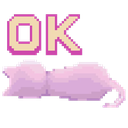
A cute, lazy cat giving a minimalist thumbs-up to whatever just happened.
This pixel art emoji features a soft pink cat lying down, accompanied by the text 'OK'. It captures the ultimate mood of passive agreement or low-energy acknowledgment, perfect for when you want to signal that you've seen a message but don't have the energy for a full response. It is a staple in cozy or gaming-themed Discord servers where a chill, low-stakes vibe is preferred.
When to use it
- Acknowledging a simple request with minimal effort
- Agreeing to plans in a lazy way
- Showing passive acceptance of a situation
- Confirming receipt of information while relaxing
Also known as:
:p_chan_2:
Part of these collections
Related emoji searches
More inspired emojis
Embed & share
How to add this emoji
Add to Discord
- Click Add to my server above and pick a Discord server you manage (CommunityOne must be installed).
- Or download the file: open Discord → Server Settings → Emoji → Upload Emoji.
- Give it a name and save. You need Manage Server (or Create Expressions) permission.
Add to Slack
- Download the yypc_ok image.
- Open the Slack emoji picker and click Add Emoji.
- Upload the file, name it, and save.
Add to Revolt/Stoat
- Download the yypc_ok image.
- Open Server Settings → Emojis in Revolt or Stoat.
- Upload the file and name your new emoji.
Add to Guilded
- Download the yypc_ok image.
- Go to Server Settings → Emotes in Guilded.
- Upload the file and give it a name.











