rk_blacknigga
What does the rk_blacknigga emoji mean?
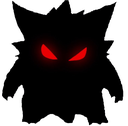
A pair of glowing red eyes peering out from the absolute darkness.
These glowing red eyes are a classic trope used to signify a character going into 'berserk' mode, becoming possessed, or simply lurking in the shadows. In Discord servers, this emoji is frequently used to react to someone saying something cursed, threatening, or when a user is about to unleash chaos in the chat.
When to use it
- Signaling that you are watching someone closely
- Reacting to a cursed or threatening message
- Showing your inner demon is waking up
- Emphasizing a dark or mysterious mood
Part of these collections
Related emoji searches
More inspired emojis
Embed & share
How to add this emoji
Add to Discord
- Click Add to my server above and pick a Discord server you manage (CommunityOne must be installed).
- Or download the file: open Discord → Server Settings → Emoji → Upload Emoji.
- Give it a name and save. You need Manage Server (or Create Expressions) permission.
Add to Slack
- Download the rk_blacknigga image.
- Open the Slack emoji picker and click Add Emoji.
- Upload the file, name it, and save.
Add to Revolt/Stoat
- Download the rk_blacknigga image.
- Open Server Settings → Emojis in Revolt or Stoat.
- Upload the file and name your new emoji.
Add to Guilded
- Download the rk_blacknigga image.
- Go to Server Settings → Emotes in Guilded.
- Upload the file and give it a name.











