Screm (Animated)
What does the Screm emoji mean?
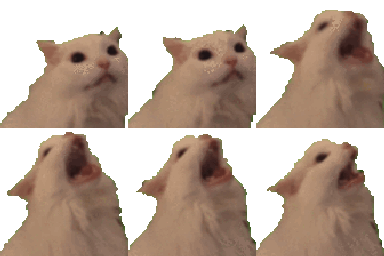
A white cat transitions from calm observation to an intense, operatic scream.
This is the iconic 'Cat Screaming' meme, often referred to as the 'Vibing Cat' or 'Opera Cat'. It perfectly captures the feeling of sudden realization, intense frustration, or just letting out a loud, chaotic yell in a chat conversation. It is a staple in Discord servers for reacting to bad takes, loud music, or general absurdity.
When to use it
- Expressing sudden frustration at a situation
- Reacting to an incredibly loud or chaotic moment
- Singing along to a dramatic musical track
- Showing disbelief at a ridiculous statement
Also known as:
:emoji_147:
Part of these collections
Related emoji searches
More inspired emojis
Embed & share
How to add this emoji
Add to Discord
- Click Add to my server above and pick a Discord server you manage (CommunityOne must be installed).
- Or download the file: open Discord → Server Settings → Emoji → Upload Emoji.
- Give it a name and save. You need Manage Server (or Create Expressions) permission.
Add to Slack
- Download the Screm image.
- Open the Slack emoji picker and click Add Emoji.
- Upload the file, name it, and save.
Add to Revolt/Stoat
- Download the Screm image.
- Open Server Settings → Emojis in Revolt or Stoat.
- Upload the file and name your new emoji.
Add to Guilded
- Download the Screm image.
- Go to Server Settings → Emotes in Guilded.
- Upload the file and give it a name.











