shut_up (Animated)
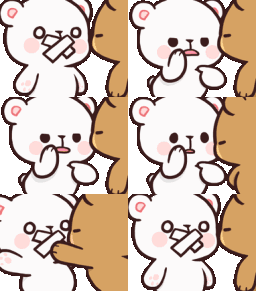
What does the shut_up emoji mean?
A playful way to tell someone to keep it quiet.
This emoji features the popular Milk and Mocha bear characters, known for their adorable and expressive relationship dynamics. It depicts one bear playfully shushing the other, making it a perfect tool for lighthearted moderation or teasing friends in Discord chats when someone is being too loud or sharing secrets.
When to use it
- Telling a friend to keep things quiet
- Playfully silencing someone in a group chat
- Reacting to someone sharing a secret message
- Moderating a conversation with a cute gesture
Part of these collections
Related emoji searches
More inspired emojis
Embed & share
How to add this emoji
Add to Discord
- Click Add to my server above and pick a Discord server you manage (CommunityOne must be installed).
- Or download the file: open Discord → Server Settings → Emoji → Upload Emoji.
- Give it a name and save. You need Manage Server (or Create Expressions) permission.
Add to Slack
- Download the shut_up image.
- Open the Slack emoji picker and click Add Emoji.
- Upload the file, name it, and save.
Add to Revolt/Stoat
- Download the shut_up image.
- Open Server Settings → Emojis in Revolt or Stoat.
- Upload the file and name your new emoji.
Add to Guilded
- Download the shut_up image.
- Go to Server Settings → Emotes in Guilded.
- Upload the file and give it a name.











