CatPeek
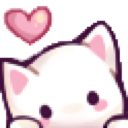
What does the CatPeek emoji mean?
A super cute white kitten expressing pure, unadulterated affection.
This adorable kitten emoji is a staple in Discord servers for expressing warmth, appreciation, or general cuteness. It belongs to the popular genre of 'Bongo Cat' style or soft aesthetic emotes that are frequently used to soften the tone of a conversation or react to something sweet.
When to use it
- Expressing affection for a friend's comment
- Reacting to cute animal photos shared online
- Showing appreciation for a kind gesture
- Sending love to someone in the chat
Also known as:
:kittylovee:
Part of these collections
Related emoji searches
More inspired emojis
Embed & share
How to add this emoji
Add to Discord
- Click Add to my server above and pick a Discord server you manage (CommunityOne must be installed).
- Or download the file: open Discord → Server Settings → Emoji → Upload Emoji.
- Give it a name and save. You need Manage Server (or Create Expressions) permission.
Add to Slack
- Download the CatPeek image.
- Open the Slack emoji picker and click Add Emoji.
- Upload the file, name it, and save.
Add to Revolt/Stoat
- Download the CatPeek image.
- Open Server Settings → Emojis in Revolt or Stoat.
- Upload the file and name your new emoji.
Add to Guilded
- Download the CatPeek image.
- Go to Server Settings → Emotes in Guilded.
- Upload the file and give it a name.











