SR_emote_mewing
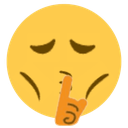
What does the SR_emote_mewing emoji mean?
The ultimate sign to keep your mouth shut and your jawline sharp.
This emoji combines the classic 'shushing' face with the internet-famous 'mewing' trend, which emphasizes jawline definition. It is frequently used in Discord servers to signal that someone should stop talking or to playfully mock someone for being obsessed with their appearance. It serves as a humorous way to tell others to stay quiet while maintaining a 'looksmaxxing' aesthetic.
When to use it
- Telling someone to be quiet while mewing
- Mocking a friend for their obsession with looks
- Signaling silence during a serious chat moment
- Flexing a sharp jawline in the server
Also known as:
:mewing2: :1emojimoggando: :shhh: :65766mewing1:
Part of these collections
Related emoji searches
More inspired emojis
Embed & share
How to add this emoji
Add to Discord
- Click Add to my server above and pick a Discord server you manage (CommunityOne must be installed).
- Or download the file: open Discord → Server Settings → Emoji → Upload Emoji.
- Give it a name and save. You need Manage Server (or Create Expressions) permission.
Add to Slack
- Download the SR_emote_mewing image.
- Open the Slack emoji picker and click Add Emoji.
- Upload the file, name it, and save.
Add to Revolt/Stoat
- Download the SR_emote_mewing image.
- Open Server Settings → Emojis in Revolt or Stoat.
- Upload the file and name your new emoji.
Add to Guilded
- Download the SR_emote_mewing image.
- Go to Server Settings → Emotes in Guilded.
- Upload the file and give it a name.











