eyesbulging
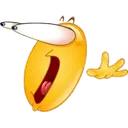
What does the eyesbulging emoji mean?
A hilarious reaction for when your jaw literally hits the floor.
This classic style emoji features an exaggerated expression of shock or intense interest, with eyes popping out of its head. It is a staple in Discord servers for reacting to unbelievable news, shocking reveals, or impressive feats shared in chat.
When to use it
- Reacting to an absolutely shocking piece of news
- Showing intense interest in a new game update
- Expressing disbelief at a friend's wild story
- Highlighting something truly mind-blowing in the chat
Also known as:
:joeclgt: :whoa:
Variations
Part of these collections
Related emoji searches
More inspired emojis
Embed & share
How to add this emoji
Add to Discord
- Click Add to my server above and pick a Discord server you manage (CommunityOne must be installed).
- Or download the file: open Discord → Server Settings → Emoji → Upload Emoji.
- Give it a name and save. You need Manage Server (or Create Expressions) permission.
Add to Slack
- Download the eyesbulging image.
- Open the Slack emoji picker and click Add Emoji.
- Upload the file, name it, and save.
Add to Revolt/Stoat
- Download the eyesbulging image.
- Open Server Settings → Emojis in Revolt or Stoat.
- Upload the file and name your new emoji.
Add to Guilded
- Download the eyesbulging image.
- Go to Server Settings → Emotes in Guilded.
- Upload the file and give it a name.











