lookaround (Animated)
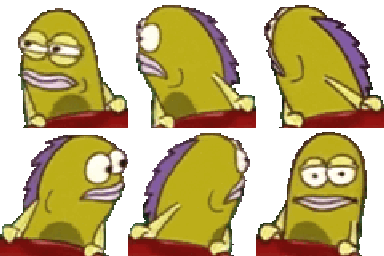
What does the lookaround emoji mean?
The ultimate look of judgment for when the vibes are just not it.
This emoji features the iconic fish character from SpongeBob SquarePants, famously known for his skeptical and unimpressed expressions. It is widely used in Discord servers to express deep suspicion, social awkwardness, or to call out someone for being out of touch. The repeating pattern emphasizes the feeling of looking around for something that clearly isn't there.
When to use it
- Expressing deep suspicion during a conversation
- Calling out someone for being totally clueless
- Showing awkwardness when the chat goes silent
- Questioning the lack of people in voice
Also known as:
:W_NeckBreak: :vv_spongemodcheck: :sus: :modCheck: :FR_whome: :what:
Part of these collections
Related emoji searches
More inspired emojis
Embed & share
How to add this emoji
Add to Discord
- Click Add to my server above and pick a Discord server you manage (CommunityOne must be installed).
- Or download the file: open Discord → Server Settings → Emoji → Upload Emoji.
- Give it a name and save. You need Manage Server (or Create Expressions) permission.
Add to Slack
- Download the lookaround image.
- Open the Slack emoji picker and click Add Emoji.
- Upload the file, name it, and save.
Add to Revolt/Stoat
- Download the lookaround image.
- Open Server Settings → Emojis in Revolt or Stoat.
- Upload the file and name your new emoji.
Add to Guilded
- Download the lookaround image.
- Go to Server Settings → Emotes in Guilded.
- Upload the file and give it a name.











