GMS_Minecraft
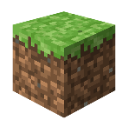
¿Qué significa el emoji GMS_Minecraft?
The iconic block that started it all, perfect for building your chat's foundation.
This is the classic Grass Block from Minecraft, the fundamental building material of the world's most popular sandbox game. In Discord servers, it is frequently used to represent gaming, construction, or simply as a nod to the blocky aesthetic of the game. It serves as a versatile reaction for anything related to Minecraft, world-building, or just showing off your gamer credentials.
Cuándo usarlo
- Celebrating a new Minecraft server launch
- Signifying the start of a building project
- Representing the classic gaming aesthetic perfectly
- Showing love for sandbox survival games
Also known as:
:1987_Minecraft:
Parte de estas colecciones
Related emoji searches
More inspired emojis
Insertar y compartir
Cómo añadir este emoji
Añadir a Discord
- Haz clic en Añadir a mi servidor arriba y elige un servidor de Discord que administres (CommunityOne debe estar instalado).
- O descarga el archivo: abre Discord → Ajustes del servidor → Emoji → Subir emoji.
- Dale un nombre y guarda. Necesitas el permiso Administrar servidor (o Crear expresiones).
Añadir a Slack
- Descarga la imagen de GMS_Minecraft.
- Abre el selector de emojis de Slack y haz clic en Añadir emoji.
- Sube el archivo, ponle un nombre y guarda.
Añadir a Revolt/Stoat
- Descarga la imagen de GMS_Minecraft.
- Abre Ajustes del servidor → Emojis en Revolt o Stoat.
- Sube el archivo y pon nombre a tu nuevo emoji.
Añadir a Guilded
- Descarga la imagen de GMS_Minecraft.
- Ve a Ajustes del servidor → Emotes en Guilded.
- Sube el archivo y dale un nombre.











