frog_yes (Animado)
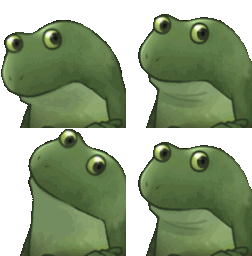
¿Qué significa el emoji frog_yes?
A polite, nodding frog that agrees with everything you say.
The KG_YesFrog emoji features a charming green frog performing a rhythmic nodding motion, signifying enthusiastic agreement or acknowledgement. It has become a staple in Discord servers for signaling 'yes,' 'understood,' or simply showing support for a fellow chatter's opinion in a cute, non-verbal way.
Cuándo usarlo
- Agreeing with a friend's suggestion in chat
- Confirming that you understood the instructions given
- Showing support for a funny or clever point
- Nodding along to a conversation in real time
Also known as:
:KG_YesFrog:
Parte de estas colecciones
Related emoji searches
More inspired emojis
Insertar y compartir
Cómo añadir este emoji
Añadir a Discord
- Haz clic en Añadir a mi servidor arriba y elige un servidor de Discord que administres (CommunityOne debe estar instalado).
- O descarga el archivo: abre Discord → Ajustes del servidor → Emoji → Subir emoji.
- Dale un nombre y guarda. Necesitas el permiso Administrar servidor (o Crear expresiones).
Añadir a Slack
- Descarga la imagen de frog_yes.
- Abre el selector de emojis de Slack y haz clic en Añadir emoji.
- Sube el archivo, ponle un nombre y guarda.
Añadir a Revolt/Stoat
- Descarga la imagen de frog_yes.
- Abre Ajustes del servidor → Emojis en Revolt o Stoat.
- Sube el archivo y pon nombre a tu nuevo emoji.
Añadir a Guilded
- Descarga la imagen de frog_yes.
- Ve a Ajustes del servidor → Emotes en Guilded.
- Sube el archivo y dale un nombre.











