pepepopx
¿Qué significa el emoji pepepopx?
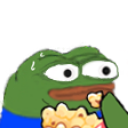
Pepe the Frog enjoys the show as drama unfolds in the chat.
This emoji features the iconic Pepe the Frog character eating popcorn, a classic internet meme used to signify watching a chaotic or entertaining argument. It is a staple in Discord servers for reacting to 'tea' or intense debates without needing to type a word. The nervous yet amused expression perfectly captures the feeling of being a spectator to online drama.
Cuándo usarlo
- Watching a heated argument unfold in chat
- Reacting to juicy gossip shared by friends
- Observing chaotic server drama with popcorn ready
- Signaling that you are enjoying the show
Also known as:
:izleyirem: :peeposhock: :popcornsuspense: :pepe_drama: :tmr_mast_show_hai: :p_1drama:
Parte de estas colecciones
Related emoji searches
More inspired emojis
Insertar y compartir
Cómo añadir este emoji
Añadir a Discord
- Haz clic en Añadir a mi servidor arriba y elige un servidor de Discord que administres (CommunityOne debe estar instalado).
- O descarga el archivo: abre Discord → Ajustes del servidor → Emoji → Subir emoji.
- Dale un nombre y guarda. Necesitas el permiso Administrar servidor (o Crear expresiones).
Añadir a Slack
- Descarga la imagen de pepepopx.
- Abre el selector de emojis de Slack y haz clic en Añadir emoji.
- Sube el archivo, ponle un nombre y guarda.
Añadir a Revolt/Stoat
- Descarga la imagen de pepepopx.
- Abre Ajustes del servidor → Emojis en Revolt o Stoat.
- Sube el archivo y pon nombre a tu nuevo emoji.
Añadir a Guilded
- Descarga la imagen de pepepopx.
- Ve a Ajustes del servidor → Emotes en Guilded.
- Sube el archivo y dale un nombre.











