Nintendo
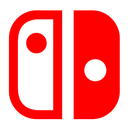
¿Qué significa el emoji Nintendo?
Level up your chat with the iconic Nintendo Switch controller aesthetic.
This emoji features the instantly recognizable Joy-Con controller design from the Nintendo Switch console. It is a staple for gaming-focused Discord servers, used to signal gaming sessions, discuss new releases, or simply show appreciation for the Nintendo ecosystem.
Cuándo usarlo
- Signaling that you are starting a gaming session
- Discussing the latest Nintendo game release news
- Inviting friends to play multiplayer Nintendo games
- Expressing love for the Nintendo Switch console
Also known as:
:DE_nintendo_switch: :Switch:
Parte de estas colecciones
Related emoji searches
More inspired emojis
Insertar y compartir
Cómo añadir este emoji
Añadir a Discord
- Haz clic en Añadir a mi servidor arriba y elige un servidor de Discord que administres (CommunityOne debe estar instalado).
- O descarga el archivo: abre Discord → Ajustes del servidor → Emoji → Subir emoji.
- Dale un nombre y guarda. Necesitas el permiso Administrar servidor (o Crear expresiones).
Añadir a Slack
- Descarga la imagen de Nintendo.
- Abre el selector de emojis de Slack y haz clic en Añadir emoji.
- Sube el archivo, ponle un nombre y guarda.
Añadir a Revolt/Stoat
- Descarga la imagen de Nintendo.
- Abre Ajustes del servidor → Emojis en Revolt o Stoat.
- Sube el archivo y pon nombre a tu nuevo emoji.
Añadir a Guilded
- Descarga la imagen de Nintendo.
- Ve a Ajustes del servidor → Emotes en Guilded.
- Sube el archivo y dale un nombre.











