Cat_Cry
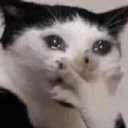
Que signifie l’emoji Cat_Cry ?
A hilariously tragic cat holding back tears to express pure, overwhelming distress.
This is the iconic 'crying cat' meme, a staple of internet culture used to convey mock sadness, over-the-top melodrama, or genuine frustration. It is perfect for Discord servers when a user wants to react to a bad roll in a game, a sad story, or just to be playfully dramatic about a minor inconvenience.
Quand l’utiliser
- Expressing mock sadness over a minor inconvenience
- Reacting to a genuinely sad or tragic story
- Showing dramatic distress during a gaming session
- Adding humor to a tense or serious conversation
Also known as:
:cat_oml: :gs_sadbiliii:
Dans ces collections
Related emoji searches
More inspired emojis
Intégrer et partager
Comment ajouter cet emoji
Add to Discord
- Cliquez sur Ajouter à mon serveur ci-dessus et choisissez un serveur Discord que vous gérez (CommunityOne doit être installé).
- Ou téléchargez le fichier : ouvrez Discord → Paramètres du serveur → Emoji → Importer un emoji.
- Donnez-lui un nom et enregistrez. Vous avez besoin de la permission Gérer le serveur (ou Créer des expressions).
Ajouter à Slack
- Téléchargez l’image Cat_Cry.
- Ouvrez le sélecteur d’emojis Slack et cliquez sur Ajouter un emoji.
- Importez le fichier, nommez-le et enregistrez.
Ajouter à Revolt/Stoat
- Téléchargez l’image Cat_Cry.
- Ouvrez Paramètres du serveur → Emojis dans Revolt ou Stoat.
- Importez le fichier et nommez votre nouvel emoji.
Ajouter à Guilded
- Téléchargez l’image Cat_Cry.
- Allez dans Paramètres du serveur → Emotes dans Guilded.
- Importez le fichier et donnez-lui un nom.











