disappear96 (Animé)
Skip the manual upload: CommunityOne can add it straight to your server.
Que signifie l’emoji disappear96 ?
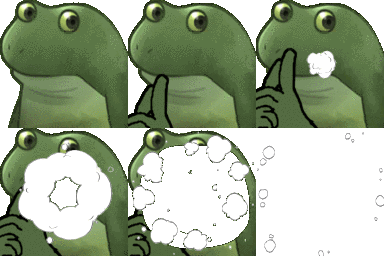
A frog performs a vanishing act, poofing out of existence when things get awkward.
This emoji features a green frog character that mimics a classic 'disappearing' trope, often used in internet culture to express a desire to leave a conversation or avoid a cringe-worthy moment. It is a popular reaction on Discord servers for signaling that a user is logging off or simply wants to 'poof' away from an uncomfortable topic. The animation style is reminiscent of classic cartoon smoke-bomb escapes.
Quand l’utiliser
- Exiting a conversation after saying something awkward
- Signaling that you are leaving the chat room
- Reacting to a situation that makes you uncomfortable
- Humorously disappearing when asked a difficult question
Dans ces collections
Related emoji searches
More inspired emojis
Intégrer et partager
Comment ajouter cet emoji
Add to Discord
- Cliquez sur Ajouter à mon serveur ci-dessus et choisissez un serveur Discord que vous gérez (CommunityOne doit être installé).
- Ou téléchargez le fichier : ouvrez Discord → Paramètres du serveur → Emoji → Importer un emoji.
- Donnez-lui un nom et enregistrez. Vous avez besoin de la permission Gérer le serveur (ou Créer des expressions).
Ajouter à Slack
- Téléchargez l’image disappear96.
- Ouvrez le sélecteur d’emojis Slack et cliquez sur Ajouter un emoji.
- Importez le fichier, nommez-le et enregistrez.
Ajouter à Revolt/Stoat
- Téléchargez l’image disappear96.
- Ouvrez Paramètres du serveur → Emojis dans Revolt ou Stoat.
- Importez le fichier et nommez votre nouvel emoji.
Ajouter à Guilded
- Téléchargez l’image disappear96.
- Allez dans Paramètres du serveur → Emotes dans Guilded.
- Importez le fichier et donnez-lui un nom.











