happy
Que signifie l’emoji happy ?
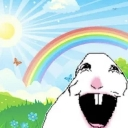
A surreal, wide-mouthed rabbit laughing in a bright, idyllic meadow.
This emoji features the 'Happy Rabbit' meme, a distorted, surreal take on a bunny that contrasts a chaotic, unsettling expression with a hyper-cheerful, idyllic background. It is frequently used in Discord servers to express ironic joy, overwhelming absurdity, or to mockingly react to something that is trying too hard to be wholesome.
Quand l’utiliser
- Reacting to an absurdly wholesome message
- Expressing ironic joy in a chaotic chat
- Mocking someone who is acting overly cheerful
- Highlighting the surreal nature of a conversation
Also known as:
:Happy_yainbow: :emoji_9: :emoji_17:
Dans ces collections
Related emoji searches
More inspired emojis
Intégrer et partager
Comment ajouter cet emoji
Add to Discord
- Cliquez sur Ajouter à mon serveur ci-dessus et choisissez un serveur Discord que vous gérez (CommunityOne doit être installé).
- Ou téléchargez le fichier : ouvrez Discord → Paramètres du serveur → Emoji → Importer un emoji.
- Donnez-lui un nom et enregistrez. Vous avez besoin de la permission Gérer le serveur (ou Créer des expressions).
Ajouter à Slack
- Téléchargez l’image happy.
- Ouvrez le sélecteur d’emojis Slack et cliquez sur Ajouter un emoji.
- Importez le fichier, nommez-le et enregistrez.
Ajouter à Revolt/Stoat
- Téléchargez l’image happy.
- Ouvrez Paramètres du serveur → Emojis dans Revolt ou Stoat.
- Importez le fichier et nommez votre nouvel emoji.
Ajouter à Guilded
- Téléchargez l’image happy.
- Allez dans Paramètres du serveur → Emotes dans Guilded.
- Importez le fichier et donnez-lui un nom.











