snap (Animé)
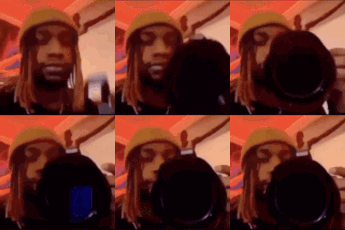
Que signifie l’emoji snap ?
Caught in the act with the camera lens.
This emoji features a person wearing a beanie, slowly moving a camera lens into the frame until it covers their face. It is commonly used in Discord servers to mock someone who has been 'caught' doing something suspicious, embarrassing, or simply to signal that someone is being watched or recorded.
Quand l’utiliser
- Calling out someone for being caught acting
- Recording a suspicious moment in the chat
- Signaling that someone is being watched closely
- Mocking a friend for getting caught red-handed
Also known as:
:emojigg_4k: :464_caughtin4k: :emoji_51:
Dans ces collections
Related emoji searches
More inspired emojis
Intégrer et partager
Comment ajouter cet emoji
Add to Discord
- Cliquez sur Ajouter à mon serveur ci-dessus et choisissez un serveur Discord que vous gérez (CommunityOne doit être installé).
- Ou téléchargez le fichier : ouvrez Discord → Paramètres du serveur → Emoji → Importer un emoji.
- Donnez-lui un nom et enregistrez. Vous avez besoin de la permission Gérer le serveur (ou Créer des expressions).
Ajouter à Slack
- Téléchargez l’image snap.
- Ouvrez le sélecteur d’emojis Slack et cliquez sur Ajouter un emoji.
- Importez le fichier, nommez-le et enregistrez.
Ajouter à Revolt/Stoat
- Téléchargez l’image snap.
- Ouvrez Paramètres du serveur → Emojis dans Revolt ou Stoat.
- Importez le fichier et nommez votre nouvel emoji.
Ajouter à Guilded
- Téléchargez l’image snap.
- Allez dans Paramètres du serveur → Emotes dans Guilded.
- Importez le fichier et donnez-lui un nom.











