How to Use the Feedback Channel

Summary

Geometry Dash Avenue explains how to use the feedback channel for asking and giving useful critiques. The announcement details using the correct tags, including media attachments rather than just IDs, and stating what youre trying to achieve to give clear context. It also covers how to give actionable feedback with specific points and reminds members to follow general server rules.

Original Post

For asking for feedback

  • Use the corresponding tags according to your work, this will make your post easier to search for
  • Ask nicely for feedback, stating what you are trying to achieve and any other details needed to understand the context you are working in
  • If you don't get "useful" feedback, do not get mad or start a discussion, try to ask what you want to hear about in a different way
  • Include media attachments of your level, do not just send an ID
  • Be specific, don't just say "Is this good?" or "Opinions?". For feedback to be useful, you need concrete and clear questions such as "Is this background too distracting from the main element in this scene (the orange block design)?"
  • All general server rules apply, so make sure to follow them!

For giving feedback

  • Try to not use simply "good" or "cool", this channel is for improvement, not just to reinforce creators
  • Do not hold back on details, give your take on different aspects if you think it will be useful, but don't start talking about non-related topics
  • If you haven't got the time to do a full review, that's ok! Just try to give powerful and clear bullet points on the main aspects
  • If the question asked is too broad, just ask creators to specify what they need help on
  • If you see any feedback posts that break the rules, mention a staff member in said thread or contact
  • All general server rules apply, so make sure to follow them!
Reply

Example feedback post

Hi there! I wanted to ask if this part I made had a clear difference between foreground and background centered around the player.

I wanted to make something that resembled the vibes and color scheme of Sevvend Clubstep, but with its own flashy twist. I don't really care for readability (as it is memory), but I might need to rework a bit more how the two elements blend together.

Reply

Example feedback response

Extensive response

Hey! I really like the creativity and effort you put into it, I can definitely see the resemblance to the original work.

This is what I would change:
- The use of colors in the fg and bg most of the time are the same, I'd try to make the bg darker and the fg lighter to give a more electrical feeling and improve clarity.
- The structures and atmospheric deco are a bit messy (specially when it flashes), so I'd recommend for them to have a more subtle pulse or an off-time/transition-like color change.
- The use of both orange and yellow on different layers is great, but the area fade might be too big. It reduces the chaos, but it sacrifices a primordial element (see images 1 and 2).
- The constant rotation of the structures' copies diminish the attention put into the UI and gimmicks such as the fake orbs and split portals.

To sum up, I think the main problem to fix here is the abundance of area moves applied to the structures and the lack of distinction between colors in independent layers.
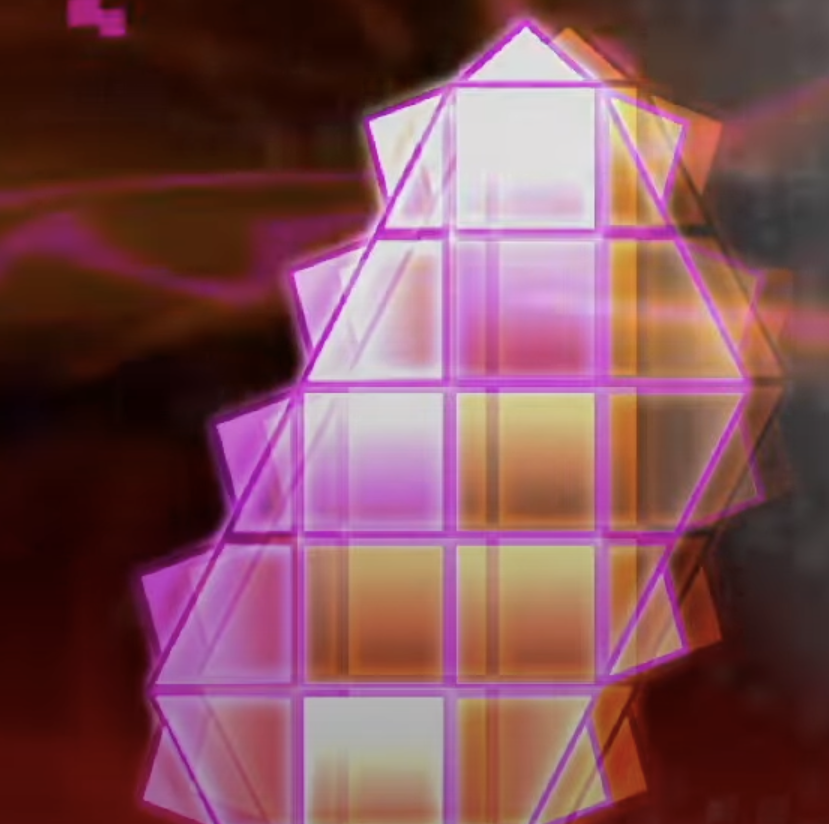

How to Use the Feedback Channel - Image 1
How to Use the Feedback Channel - Image 2

Reply

Short response

Hi there! I love the attention to detail you put in your work, but there is a lot of room for improvement.

I think the lack of fg/bg distinction is primarily due to the chaotic movement (too much copy-paste) and no darker/lighter hues for each element.

Your work could benefit a lot from a more extensive dive into your area trigger work, as the idea is there but not really well executed and that might be the main problem to fix what you asked for. Best of luck!

The latest from Geometry Dash Avenue

LF Decorators for Aerodynamix Level

Join Geometry Dash Avenue to help decorate Aerodynamix, an Acheron-themed easy demon level to enhance the drop, mid, and final credits.










