dancing_bear (Animado)
O que significa o emoji dancing_bear?
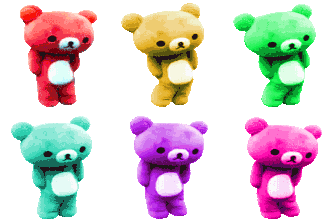
A vibrant squad of neon Rilakkuma bears ready to bring the party to your chat.
This emoji features a colorful row of Rilakkuma bears, a popular Japanese character known for being relaxed and cute. The neon-tinted, high-contrast aesthetic gives them a rave-ready, energetic vibe perfect for Discord servers that want to inject some playful, chaotic energy into their channels.
Quando usar
- Celebrating a big win in the server
- Expressing excitement for an upcoming weekend party
- Adding a pop of color to chat
- Highlighting a fun and energetic group mood
Also known as:
:rainbow_bear_dance:
Parte destas coleções
Related emoji searches
More inspired emojis
Incorporar e partilhar
Como adicionar este emoji
Add to Discord
- Clique em Adicionar ao meu servidor acima e escolha um servidor Discord que administra (a CommunityOne deve estar instalada).
- Ou descarregue o ficheiro: abra o Discord → Definições do servidor → Emoji → Carregar emoji.
- Dê-lhe um nome e guarde. Precisa da permissão Gerir servidor (ou Criar expressões).
Adicionar ao Slack
- Descarregue a imagem dancing_bear.
- Abra o seletor de emojis do Slack e clique em Adicionar emoji.
- Carregue o ficheiro, dê-lhe um nome e guarde.
Adicionar ao Revolt/Stoat
- Descarregue a imagem dancing_bear.
- Abra Definições do servidor → Emojis no Revolt ou Stoat.
- Carregue o ficheiro e dê um nome ao novo emoji.
Adicionar ao Guilded
- Descarregue a imagem dancing_bear.
- Vá a Definições do servidor → Emotes no Guilded.
- Carregue o ficheiro e dê-lhe um nome.











