birddance (Animiert)
Was bedeutet das birddance-Emoji?
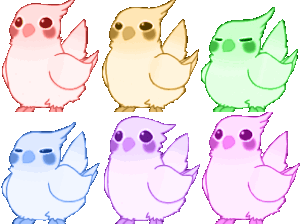
A colorful parade of adorable, expressive cockatiels ready to brighten up any chat.
This set of four stylized cockatiels features a range of pastel colors and distinct facial expressions, capturing the iconic 'birb' aesthetic popular in Discord communities. These birds are frequently used to express varying levels of mood, from the wide-eyed excitement of the pink bird to the skeptical, squinting gaze of the green and blue ones. They are a staple for servers that appreciate cute, minimalist pixel art to add personality to their reactions.
Wann man es benutzt
- Expressing excitement with the pink bird
- Showing skepticism using the squinting birds
- Reacting to cute content with bird emojis
- Adding a colorful aesthetic to chat messages
Also known as:
:cnc_birbrave:
Teil dieser Sammlungen
Related emoji searches
More inspired emojis
Einbetten & teilen
So fügst du dieses Emoji hinzu
Add to Discord
- Klicke oben auf Zu meinem Server hinzufügen und wähle einen Discord-Server, den du verwaltest (CommunityOne muss installiert sein).
- Oder lade die Datei herunter: öffne Discord → Servereinstellungen → Emoji → Emoji hochladen.
- Vergib einen Namen und speichere. Du brauchst die Berechtigung Server verwalten (oder Ausdrücke erstellen).
Zu Slack hinzufügen
- Lade das birddance-Bild herunter.
- Öffne den Slack-Emoji-Picker und klicke auf Emoji hinzufügen.
- Lade die Datei hoch, benenne sie und speichere.
Zu Revolt/Stoat hinzufügen
- Lade das birddance-Bild herunter.
- Öffne Servereinstellungen → Emojis in Revolt oder Stoat.
- Lade die Datei hoch und benenne dein neues Emoji.
Zu Guilded hinzufügen
- Lade das birddance-Bild herunter.
- Gehe zu Servereinstellungen → Emotes in Guilded.
- Lade die Datei hoch und gib ihr einen Namen.











