hehecat
Was bedeutet das hehecat-Emoji?
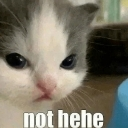
A grumpy kitten shuts down your jokes with a deadpan stare.
This meme features a close-up of a kitten with a distinctly unimpressed, slightly judgmental expression, paired with the text 'not hehe'. It is a staple in Discord servers for shutting down bad puns, cringey jokes, or overly enthusiastic attempts at humor. Use it when someone says something that is definitely not funny.
Wann man es benutzt
- Responding to someone telling a bad joke
- Shutting down an awkward attempt at humor
- Expressing disapproval of a silly comment
- Reacting to a dry or unfunny statement
Also known as:
:nothehecatto: :not_hehe: :167706nothehecatto: :nothehe5: :Screenshot20260505at122005AM: :emoji_50:
Teil dieser Sammlungen
Related emoji searches
More inspired emojis
Einbetten & teilen
So fügst du dieses Emoji hinzu
Add to Discord
- Klicke oben auf Zu meinem Server hinzufügen und wähle einen Discord-Server, den du verwaltest (CommunityOne muss installiert sein).
- Oder lade die Datei herunter: öffne Discord → Servereinstellungen → Emoji → Emoji hochladen.
- Vergib einen Namen und speichere. Du brauchst die Berechtigung Server verwalten (oder Ausdrücke erstellen).
Zu Slack hinzufügen
- Lade das hehecat-Bild herunter.
- Öffne den Slack-Emoji-Picker und klicke auf Emoji hinzufügen.
- Lade die Datei hoch, benenne sie und speichere.
Zu Revolt/Stoat hinzufügen
- Lade das hehecat-Bild herunter.
- Öffne Servereinstellungen → Emojis in Revolt oder Stoat.
- Lade die Datei hoch und benenne dein neues Emoji.
Zu Guilded hinzufügen
- Lade das hehecat-Bild herunter.
- Gehe zu Servereinstellungen → Emotes in Guilded.
- Lade die Datei hoch und gib ihr einen Namen.











