nothought
Was bedeutet das nothought-Emoji?
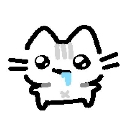
A tiny cat with absolutely zero thoughts behind its eyes.
This emoji features a simple, hand-drawn style cat with a vacant, drooling expression that perfectly captures the feeling of being completely brainless or overwhelmed. It is a staple in Discord servers for reacting to nonsensical messages, bad takes, or moments of pure confusion where words fail. The 'nothought' aesthetic is a classic internet trope used to signal that your brain has officially logged off.
Wann man es benutzt
- -reacting to someone saying something incredibly stupid
- -expressing total confusion during a chaotic conversation
- -signaling that your brain is currently empty
- -mocking a friend who made a silly mistake
Teil dieser Sammlungen
Related emoji searches
More inspired emojis
Einbetten & teilen
So fügst du dieses Emoji hinzu
Add to Discord
- Klicke oben auf Zu meinem Server hinzufügen und wähle einen Discord-Server, den du verwaltest (CommunityOne muss installiert sein).
- Oder lade die Datei herunter: öffne Discord → Servereinstellungen → Emoji → Emoji hochladen.
- Vergib einen Namen und speichere. Du brauchst die Berechtigung Server verwalten (oder Ausdrücke erstellen).
Zu Slack hinzufügen
- Lade das nothought-Bild herunter.
- Öffne den Slack-Emoji-Picker und klicke auf Emoji hinzufügen.
- Lade die Datei hoch, benenne sie und speichere.
Zu Revolt/Stoat hinzufügen
- Lade das nothought-Bild herunter.
- Öffne Servereinstellungen → Emojis in Revolt oder Stoat.
- Lade die Datei hoch und benenne dein neues Emoji.
Zu Guilded hinzufügen
- Lade das nothought-Bild herunter.
- Gehe zu Servereinstellungen → Emotes in Guilded.
- Lade die Datei hoch und gib ihr einen Namen.











