5419shadowdragon
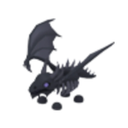
What does the 5419shadowdragon emoji mean?
Unleash the ultimate flex with this legendary shadow dragon.
This emoji features the iconic Shadow Dragon from the popular Roblox game Adopt Me. It is widely recognized as one of the most valuable and sought-after pets in the game's trading community, making it a status symbol in Discord servers dedicated to gaming or pet collecting.
When to use it
- Flexing your rare pet collection in chat
- Showing off your legendary trading status
- Celebrating a successful high-value pet trade
- Adding a dark fantasy vibe to conversations
Part of these collections
Related emoji searches
More inspired emojis
Embed & share
How to add this emoji
Add to Discord
- Click Add to my server above and pick a Discord server you manage (CommunityOne must be installed).
- Or download the file: open Discord → Server Settings → Emoji → Upload Emoji.
- Give it a name and save. You need Manage Server (or Create Expressions) permission.
Add to Slack
- Download the 5419shadowdragon image.
- Open the Slack emoji picker and click Add Emoji.
- Upload the file, name it, and save.
Add to Revolt/Stoat
- Download the 5419shadowdragon image.
- Open Server Settings → Emojis in Revolt or Stoat.
- Upload the file and name your new emoji.
Add to Guilded
- Download the 5419shadowdragon image.
- Go to Server Settings → Emotes in Guilded.
- Upload the file and give it a name.











