574056lurk
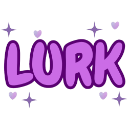
What does the 574056lurk emoji mean?
A playful, sparkly way to let everyone know you are watching from the shadows.
The 'Lurk' emoji is a staple in Discord communities for users who prefer to observe conversations without actively participating. With its cute, bubbly font and magical sparkles, it turns the act of lurking into a fun, lighthearted social statement rather than a creepy one.
When to use it
- Acknowledging you are reading without typing messages
- Admitting you are watching the chat silently
- Signaling presence while remaining in the background
- Playfully teasing others while staying mostly quiet
Part of these collections
Related emoji searches
More inspired emojis
Embed & share
How to add this emoji
Add to Discord
- Click Add to my server above and pick a Discord server you manage (CommunityOne must be installed).
- Or download the file: open Discord → Server Settings → Emoji → Upload Emoji.
- Give it a name and save. You need Manage Server (or Create Expressions) permission.
Add to Slack
- Download the 574056lurk image.
- Open the Slack emoji picker and click Add Emoji.
- Upload the file, name it, and save.
Add to Revolt/Stoat
- Download the 574056lurk image.
- Open Server Settings → Emojis in Revolt or Stoat.
- Upload the file and name your new emoji.
Add to Guilded
- Download the 574056lurk image.
- Go to Server Settings → Emotes in Guilded.
- Upload the file and give it a name.











