angry
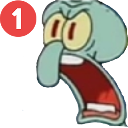
What does the angry emoji mean?
Squidward is absolutely losing his mind over that annoying notification ping.
This emoji features Squidward Tentacles from SpongeBob SquarePants in a state of pure, unadulterated rage, specifically triggered by a notification badge. It is a quintessential reaction image for Discord servers when someone is being spammed, pinged incessantly, or just generally overwhelmed by digital noise. Use this to express your frustration when your notifications won't stop blowing up.
When to use it
- Expressing extreme frustration at constant server pings
- Reacting to someone spamming messages in chat
- Showing annoyance when tagged in unimportant threads
- Highlighting the feeling of being overwhelmed online
Also known as:
:squidpingrage: :319183squidpingrage:
Part of these collections
Related emoji searches
More inspired emojis
Embed & share
How to add this emoji
Add to Discord
- Click Add to my server above and pick a Discord server you manage (CommunityOne must be installed).
- Or download the file: open Discord → Server Settings → Emoji → Upload Emoji.
- Give it a name and save. You need Manage Server (or Create Expressions) permission.
Add to Slack
- Download the angry image.
- Open the Slack emoji picker and click Add Emoji.
- Upload the file, name it, and save.
Add to Revolt/Stoat
- Download the angry image.
- Open Server Settings → Emojis in Revolt or Stoat.
- Upload the file and name your new emoji.
Add to Guilded
- Download the angry image.
- Go to Server Settings → Emotes in Guilded.
- Upload the file and give it a name.











