ArtistCafe_bunnypeeknervous
What does the ArtistCafe_bunnypeeknervous emoji mean?
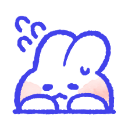
A nervous little bunny peeking out with anxiety.
This adorable bunny emoji captures the feeling of being shy, nervous, or hesitant. It is perfect for Discord servers when you want to express that you are feeling a bit overwhelmed or unsure about joining a conversation.
When to use it
- -expressing nervousness before joining a new chat
- -showing hesitation about a difficult question asked
- -signaling shyness when entering a crowded channel
- -reacting to an awkward or tense moment
Part of these collections
Related emoji searches
More inspired emojis
Embed & share
How to add this emoji
Add to Discord
- Click Add to my server above and pick a Discord server you manage (CommunityOne must be installed).
- Or download the file: open Discord → Server Settings → Emoji → Upload Emoji.
- Give it a name and save. You need Manage Server (or Create Expressions) permission.
Add to Slack
- Download the ArtistCafe_bunnypeeknervous image.
- Open the Slack emoji picker and click Add Emoji.
- Upload the file, name it, and save.
Add to Revolt/Stoat
- Download the ArtistCafe_bunnypeeknervous image.
- Open Server Settings → Emojis in Revolt or Stoat.
- Upload the file and name your new emoji.
Add to Guilded
- Download the ArtistCafe_bunnypeeknervous image.
- Go to Server Settings → Emotes in Guilded.
- Upload the file and give it a name.











