awkward_lookaway
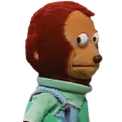
What does the awkward_lookaway emoji mean?
The ultimate reaction for when you want to pretend you didn't see that.
This iconic puppet monkey meme captures the exact moment of awkward avoidance or guilty silence. It is a staple in Discord and Slack communities for reacting to uncomfortable questions, cringeworthy statements, or when you are trying to act like you have no idea what is going on.
When to use it
- Avoiding an awkward question in group chat
- Pretending not to see a direct message
- Reacting to a very cringeworthy statement
- Acting innocent after causing server chaos
Part of these collections
Related emoji searches
More inspired emojis
Embed & share
How to add this emoji
Add to Discord
- Click Add to my server above and pick a Discord server you manage (CommunityOne must be installed).
- Or download the file: open Discord → Server Settings → Emoji → Upload Emoji.
- Give it a name and save. You need Manage Server (or Create Expressions) permission.
Add to Slack
- Download the awkward_lookaway image.
- Open the Slack emoji picker and click Add Emoji.
- Upload the file, name it, and save.
Add to Revolt/Stoat
- Download the awkward_lookaway image.
- Open Server Settings → Emojis in Revolt or Stoat.
- Upload the file and name your new emoji.
Add to Guilded
- Download the awkward_lookaway image.
- Go to Server Settings → Emotes in Guilded.
- Upload the file and give it a name.











