BAN
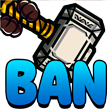
What does the BAN emoji mean?
The ultimate hammer of justice for when someone needs to be silenced.
This emoji features Thor's iconic hammer, Mjolnir, paired with the bold text 'BAN'. It is a staple in Discord server moderation culture, used by admins and mods to jokingly or seriously threaten a user with a ban for breaking rules or being annoying. It serves as a humorous, high-impact way to signal that a conversation has crossed the line.
When to use it
- Warning a user about breaking server rules
- Jokingly threatening friends for saying something silly
- Signaling that a conversation is officially over
- Moderating chat channels with a humorous touch
Part of these collections
Related emoji searches
More inspired emojis
Embed & share
How to add this emoji
Add to Discord
- Click Add to my server above and pick a Discord server you manage (CommunityOne must be installed).
- Or download the file: open Discord → Server Settings → Emoji → Upload Emoji.
- Give it a name and save. You need Manage Server (or Create Expressions) permission.
Add to Slack
- Download the BAN image.
- Open the Slack emoji picker and click Add Emoji.
- Upload the file, name it, and save.
Add to Revolt/Stoat
- Download the BAN image.
- Open Server Settings → Emojis in Revolt or Stoat.
- Upload the file and name your new emoji.
Add to Guilded
- Download the BAN image.
- Go to Server Settings → Emotes in Guilded.
- Upload the file and give it a name.











