blushcat
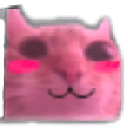
What does the blushcat emoji mean?
A bashful, blushing cat that perfectly captures that 'aw shucks' feeling.
This emoji features a stylized, pink-tinted cat face with prominent blushing cheeks, often used in Discord servers to convey shyness, modesty, or a cute reaction to a compliment. It belongs to the popular family of 'meme cats' that use distorted or edited photographs to express exaggerated human emotions. Users frequently drop this in chat when they want to act humble or show appreciation for a kind message.
When to use it
- Responding to a sweet compliment from friends
- Showing shy appreciation for a kind gesture
- Expressing bashful feelings during a group chat
- Reacting to something cute or wholesome online
Also known as:
:hsrt_blushcat:
Part of these collections
Related emoji searches
More inspired emojis
Embed & share
How to add this emoji
Add to Discord
- Click Add to my server above and pick a Discord server you manage (CommunityOne must be installed).
- Or download the file: open Discord → Server Settings → Emoji → Upload Emoji.
- Give it a name and save. You need Manage Server (or Create Expressions) permission.
Add to Slack
- Download the blushcat image.
- Open the Slack emoji picker and click Add Emoji.
- Upload the file, name it, and save.
Add to Revolt/Stoat
- Download the blushcat image.
- Open Server Settings → Emojis in Revolt or Stoat.
- Upload the file and name your new emoji.
Add to Guilded
- Download the blushcat image.
- Go to Server Settings → Emotes in Guilded.
- Upload the file and give it a name.











