bonnie
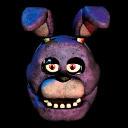
What does the bonnie emoji mean?
Bonnie the Bunny is here to stare deep into your soul.
Bonnie is the iconic purple animatronic rabbit from the Five Nights at Freddy's horror game franchise. This emoji captures his signature menacing stare, making it a staple for Discord servers to signal jump scares, impending doom, or just to creep out other members.
When to use it
- Signaling a sudden jump scare in chat
- Staring down someone who said something weird
- Representing the horror of Five Nights at Freddy's
- Adding a creepy vibe to a conversation
Part of these collections
Related emoji searches
More inspired emojis
Embed & share
How to add this emoji
Add to Discord
- Click Add to my server above and pick a Discord server you manage (CommunityOne must be installed).
- Or download the file: open Discord → Server Settings → Emoji → Upload Emoji.
- Give it a name and save. You need Manage Server (or Create Expressions) permission.
Add to Slack
- Download the bonnie image.
- Open the Slack emoji picker and click Add Emoji.
- Upload the file, name it, and save.
Add to Revolt/Stoat
- Download the bonnie image.
- Open Server Settings → Emojis in Revolt or Stoat.
- Upload the file and name your new emoji.
Add to Guilded
- Download the bonnie image.
- Go to Server Settings → Emotes in Guilded.
- Upload the file and give it a name.











