bottom_left
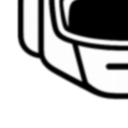
What does the bottom_left emoji mean?
A minimalist, high-contrast icon pointing the way to the bottom left.
This emoji features a clean, bold line-art design of an arrow or corner indicator pointing toward the bottom left. It is commonly used in Discord servers to direct attention to specific messages, pinned content, or to emphasize a particular reaction in the chat history.
When to use it
- Pointing toward a specific message in chat
- Directing users to look at pinned content
- Highlighting a reaction located below the text
- Indicating a specific area on the screen
Part of these collections
Related emoji searches
More inspired emojis
Embed & share
How to add this emoji
Add to Discord
- Click Add to my server above and pick a Discord server you manage (CommunityOne must be installed).
- Or download the file: open Discord → Server Settings → Emoji → Upload Emoji.
- Give it a name and save. You need Manage Server (or Create Expressions) permission.
Add to Slack
- Download the bottom_left image.
- Open the Slack emoji picker and click Add Emoji.
- Upload the file, name it, and save.
Add to Revolt/Stoat
- Download the bottom_left image.
- Open Server Settings → Emojis in Revolt or Stoat.
- Upload the file and name your new emoji.
Add to Guilded
- Download the bottom_left image.
- Go to Server Settings → Emotes in Guilded.
- Upload the file and give it a name.











